
Sundry tells you what your money is doing, without you having to ask.
A private expense tracker: you add what you spent — type it, photograph the receipt, or import a spreadsheet — and it tells you what changed.
No bank connection. Nothing to install. Nothing to sign up for to look around.

What it notices
Most trackers answer the questions you ask. Sundry opens with the ones you did not — these four sentences are its own, printed by the demo on 12 August 2026:
- Gym membership looks like it stopped — nothing since 3 Apr 2026, after 1192,00 zł at about 146,31 zł a month.
- Entertainment is up 146% over the last 30 days — 1002,27 zł, against 407,99 zł before.
- Żabka adds up — 1734,88 zł across 108 purchases in the last 366 days, about 16,06 zł each.
- Weekends cost more — about 225,55 zł a day over the last 366 days, against 81,34 zł on weekdays.
The demo re-seeds every night against the day it runs, so the figures waiting for you will be different ones.
How it works
1. Add what you spent
Type it, photograph the receipt, or import a spreadsheet.
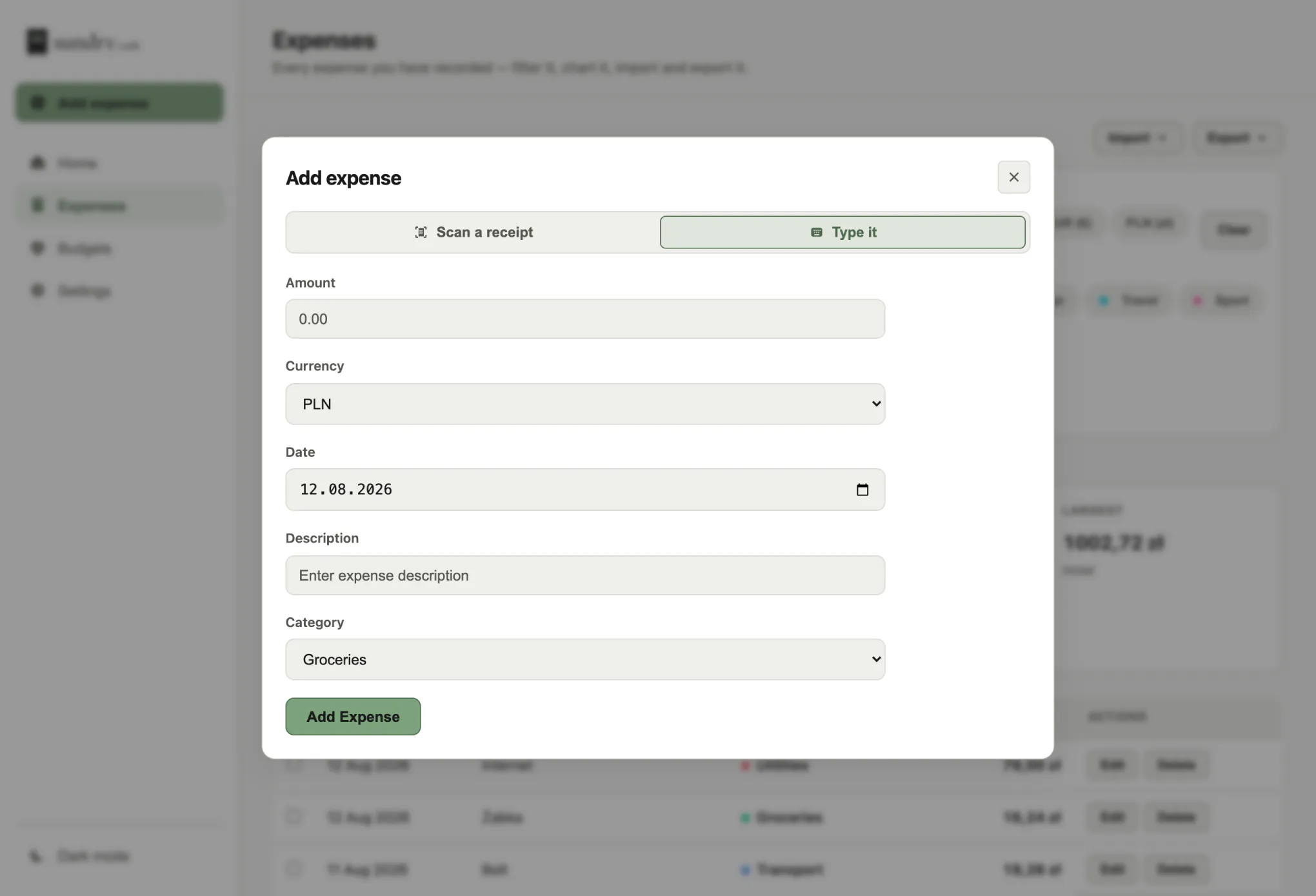
2. The first screen does the noticing
What changed, what stopped, where it went — no filters to set, no dashboard to build.
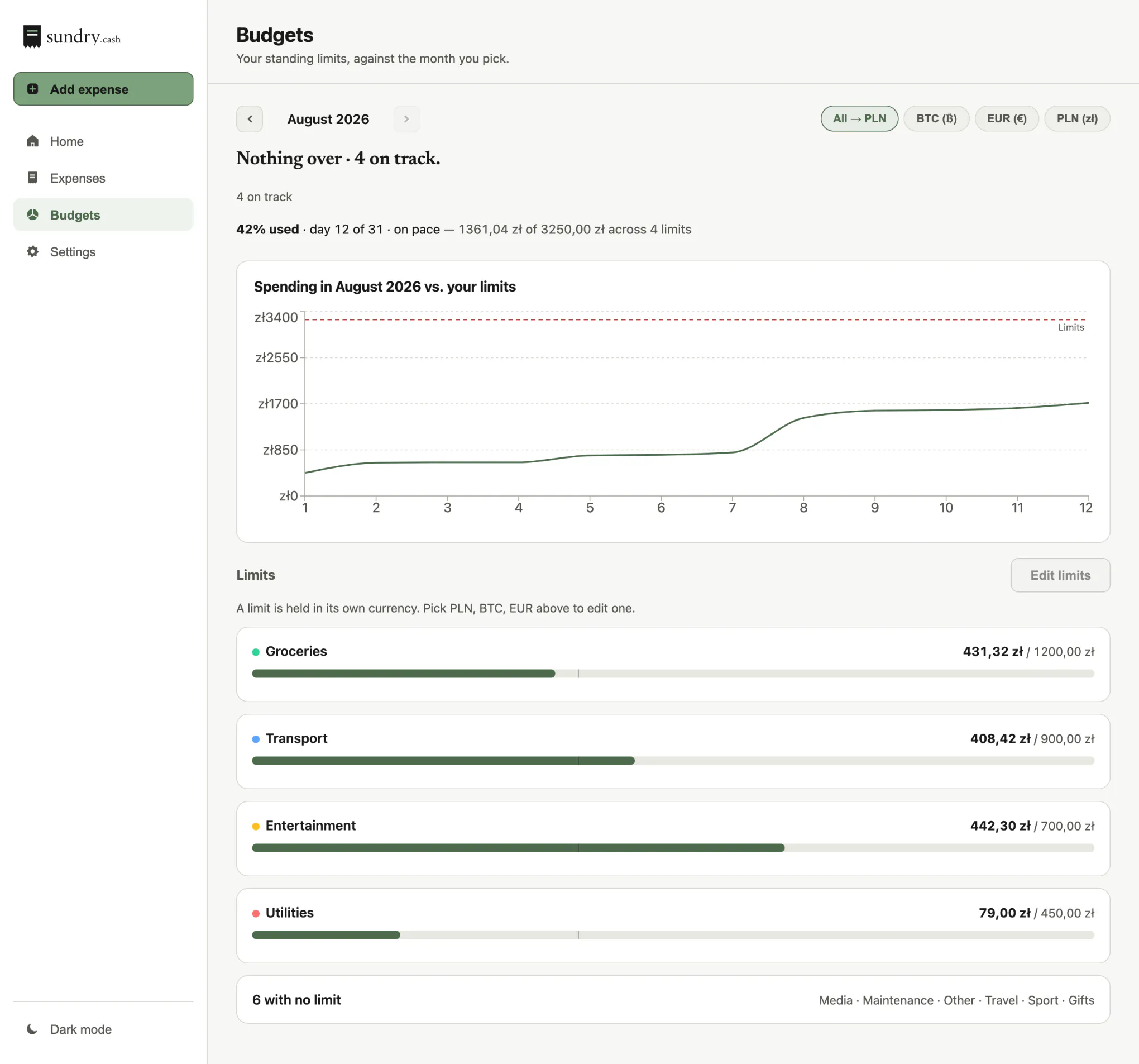
3. It is on your phone
The same app, from the browser, on your home screen.
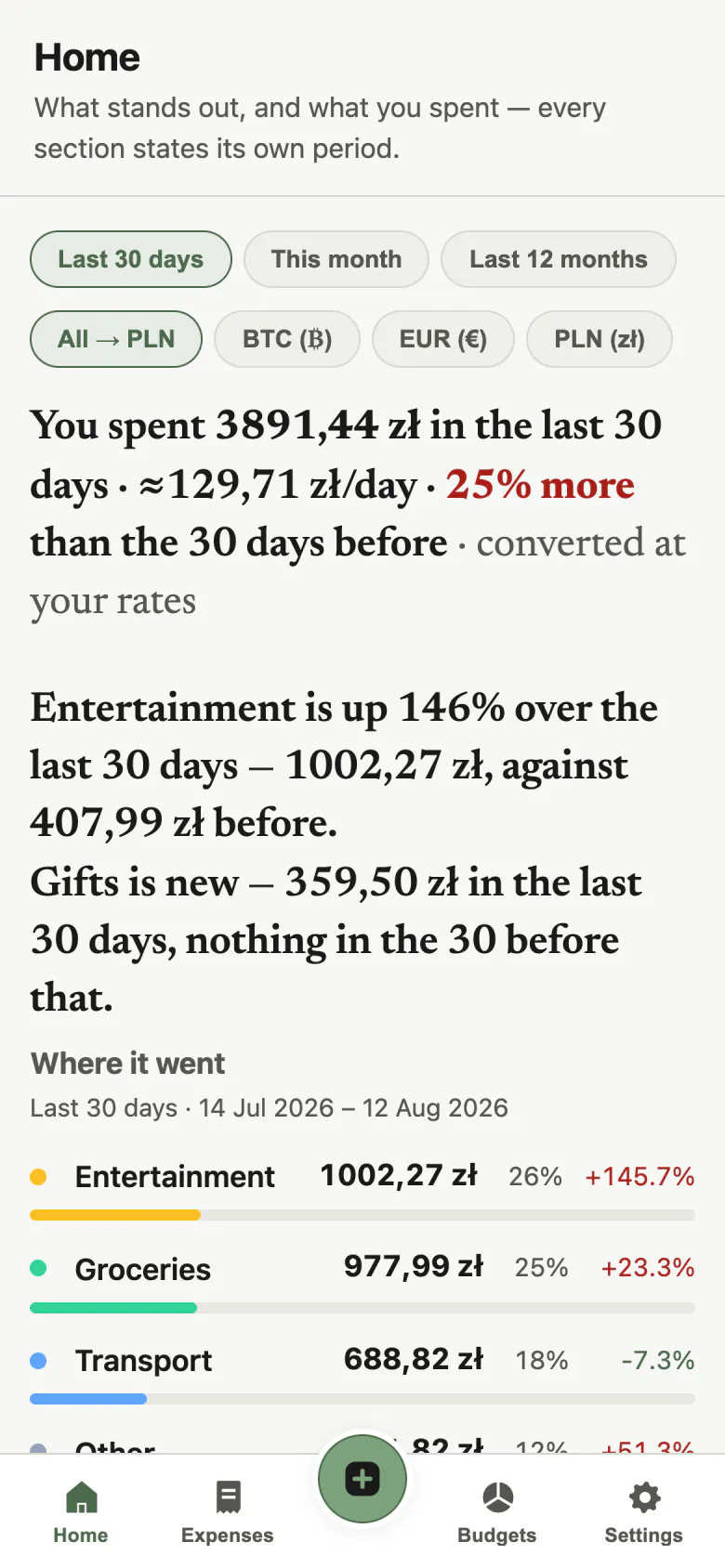
On your phone
Open Sundry in your phone's browser and add it to the home screen. It opens full screen from there, with no browser bars, and the camera is one tap away for a receipt.
On an iPhone: Share, then Add to Home Screen. On Android, Chrome offers Install.
Nothing to download, and it updates itself.
See it with your own eyes
demo.sundry.cash is a real instance with about eighteen months of made-up spending in it. No signup, no password — the link opens the app, and you can add, edit and delete like it is yours.
It is wiped and re-seeded every night, so anything you add there is gone by morning.
Receipt scanning is switched off on the demo.
Hosting
Run it yourself, free, today. A hosted version is planned.
Free, now
Sundry is open source. Two containers and one folder of data, on any machine you control.
Coming later
A hosted instance: your own address, nothing to run, someone else keeping it online.
Want to know when it is ready? hello@sundry.cash.
What it does not do
Better you know now than after signing up.
- No bank sync.
- You add expenses yourself — typed, from a receipt, or from a spreadsheet.
- One password for everyone.
- There are no separate logins, so anyone who has it can see and change everything.
- Expenses only.
- No income, no investments.
Privacy
- It never asks for your bank credentials. There is nowhere to enter them.
- No ads, no analytics, no trackers. This page loads nothing from anyone else — open the network panel and count.
- Your data is yours. One SQLite file you can copy, export or delete yourself.
Sundry runs on your own hardware. Your spending never reaches anyone else's server, and there is no account to delete.